
Your basket is empty
Golf Simulator Lighting and How to Stop Tracking Problems
Good golf simulator lighting does two jobs that pull in opposite directions. It puts steady, even light on the hitting area so the launch monitor can see the ball, and it keeps light off the impact screen so the projected image stays sharp. Lighting is the most common cause of tracking problems we see, and […]
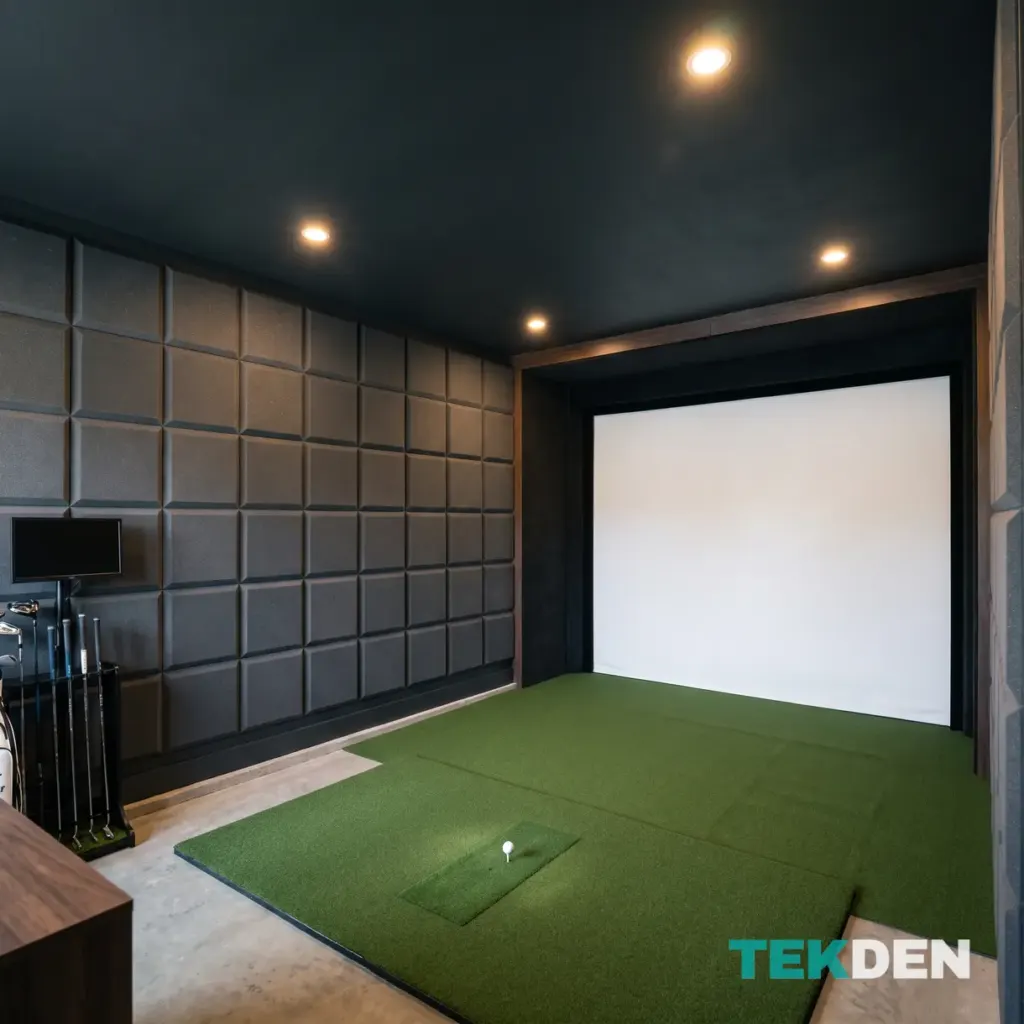
Good golf simulator lighting does two jobs that pull in opposite directions. It puts steady, even light on the hitting area so the launch monitor can see the ball, and it keeps light off the impact screen so the projected image stays sharp. Lighting is the most common cause of tracking problems we see, and most of those problems come from sunlight, uneven light on the mat, or a bright light pointed at the wrong place.
The fix is usually simple. Block daylight, aim focused lights at the hitting area rather than the screen, keep the lighting the same every session, and recalibrate the launch monitor regularly. This guide explains why each of those matters and how to set up the lighting in your room.
Why lighting affects tracking
Most home launch monitors use high speed cameras, often with their own infrared lighting, to photograph the ball and club at impact. Anything that confuses those cameras affects the numbers.
Sunlight is the main culprit. Square Golf explains that its launch monitor is designed for indoor use only and is not suitable for direct sunlight, because sunlight can interfere with the high speed camera and infrared LED lighting and lead to inaccurate measurements. Its setup guide also asks users to keep the area free from other infrared light sources. Those principles apply to camera based units generally, so it is worth checking your own launch monitor’s guidance.
Inconsistent light causes problems too. A room that is bright one evening and dim the next, or a hitting area lit unevenly with deep shadows, can give a camera a harder job of finding the ball.
Common lighting problems and their fixes
| Problem | Likely cause | Fix |
|---|---|---|
| Missed or erratic shots in the afternoon | Sunlight through a window or door | Fit blackout blinds or use the room with doors closed |
| Washed out, grey image | Light falling on the screen | Re-aim lights at the hitting area, add side curtains or enclosure |
| Ball not picked up reliably | Hitting area too dark or shadowed | Add a focused pin spotlight over the ball position |
| Readings change from session to session | Lighting set differently each time | Use the same light settings and recalibrate regularly |
| Inaccurate distances | Calibration, ball type or settings | Check altitude and temperature settings, ball type and recalibrate |
Keep light off the screen
A projector cannot produce true black, so any light that lands on the screen makes the picture look grey and flat. BenQ’s golf simulator lighting guide describes ambient light from windows or overhead fittings as the enemy of any projector, and warns against spotlights aimed at the screen or into the projector’s path.
BenQ also notes that no projector is bright enough to replace good light control. A brighter projector helps, but closing the blinds helps more. We cover brightness and lumens in our guide on how to choose a golf simulator projector.
Light the hitting area, not the room
The launch monitor only needs good light where the ball and club are. The rest of the room can stay much darker.
In our experience, focused pin spotlights over the hitting area work better than a bright general ceiling light because the launch monitor gets the light it needs on the ball while the screen stays dark and the picture stays sharp. BenQ makes the same point, noting that small pin spotlights, as low as 3W each, can be combined to light the playing area while keeping the screen area dark. It also suggests track lighting mounted to the side of the hitting area and angled at the mat, which reduces reflected light on the screen.
Whatever fittings you use, choose lights that are dimmable and adjustable, so you can fine tune both the brightness and the angle once the room is set up.
Lighting options in our golf dens
Our cabin configurator offers three simulator lighting packages, all designed around this principle.
- Standard, £432. A warm white LED strip, a pin spotlight for the ball position, and four external soffit downlights.
- Wall Lights, £518.77. The standard package plus four wall lights.
- Hex Light, £732. Adds a three grid dimmable hex light.
Hex lighting has become popular in golf rooms for its look and even spread of light. Our 10 light hex grid covers roughly 4.1m x 3m, uses 6500K daylight white LEDs rated at 60,000 hours, and is available with a dimmable option. If you choose hex lighting, keep it over the hitting and seating area and dim it during play so it does not spill onto the screen.
The Harris cabin in Wokingham combines hex lighting with luxury wall cushions trimmed with an LED light strip.
Watch out for flicker
Some LED fittings and dimmers flicker at a rate too fast for the eye to notice but visible to a high speed camera. That matters most if you use swing cameras to record video of your swing alongside the launch monitor. Waveform Lighting’s guidance on lighting for Uneekor swing cameras running at 165 frames per second recommends testing the lighting before final installation to confirm the illumination is even.
If you see banding or pulsing in swing videos, try the room with each light switched off in turn to find the fitting causing it, then replace it with a flicker free LED.
Daylight and the seasons
A room that tracks perfectly on a winter evening can struggle on a bright summer afternoon, and low winter sun can reach further into a room than you expect. Glazed doors and windows are the usual entry points. Blackout blinds, positioning the hitting area away from glazing, and playing with the doors closed all help.
Winter brings its own considerations for a garden building, from heating to condensation, which we explain in our guide to keeping a golf simulator cabin warm and dry in winter.
Keep the launch monitor itself in good order
Lighting is only half of reliable tracking. We recommend recalibrating your launch monitor monthly, keeping its lenses and sensors clean, and using the ball type it is designed for. If distances look wrong, check the altitude and temperature settings in the software, confirm the ball type, recalibrate, and make sure you are striking the ball before the mat.
From working with clients, we’ve found it pays to check the light before touching any launch monitor settings. Because lighting is the most common cause of tracking problems, closing a blind or re-aiming a spotlight is often all it takes.
Summary
Golf simulator lighting should put steady, focused light on the hitting area and keep light off the screen. Block sunlight, avoid other infrared sources, use dimmable pin spotlights or side mounted track lighting aimed at the mat, keep the setup the same every session, and recalibrate monthly. Most tracking problems come back to light, so it is the first thing to check.
If your simulator is not tracking reliably or you are planning a new room, TEKDEN can help you design lighting that suits your launch monitor, and you can see our lighting in use at our Hampshire showroom. You can also choose a lighting package when you configure a turnkey golf den. Contact us to talk to the team.
More Tekden Guides
Keep planning your simulator room.
Golf Impact Screens Explained and How to Choose One
A golf impact screen is the fabric you hit into and project the course onto in a golf simulator. It…
Read guide
How to Choose a Golf Simulator Projector
The best golf simulator projector for most home rooms is a short throw model with at least 3,000 lumens, Full…
Read guide
How to Keep a Golf Simulator Cabin Warm and Dry in Winter
To keep a golf simulator cabin warm and dry through a UK winter, you need three things working together. Insulation…
Read guide
How Long Does It Take to Build a Golf Simulator Cabin
Building and fitting out a golf simulator cabin on site usually takes about a week, but the whole project from…
Read guide
How Much Does a Golf Simulator Cabin Cost in the UK
A golf simulator cabin in the UK usually costs somewhere between £10,000 and £70,000, depending on the size of the…
Read guide
Golf Simulator Garden Room UK | Purpose-Built Golf Dens
What to consider when planning a purpose-built garden room for a golf simulator, from cabin structure to comfort, insulation and…
Read guide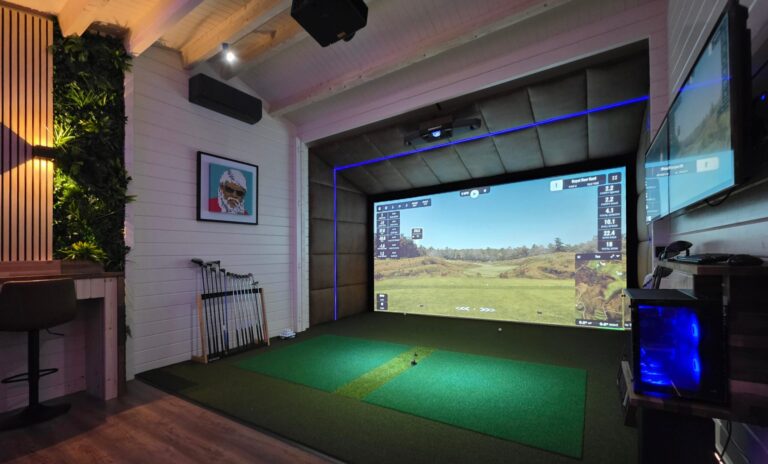
Golf Simulators UK | Complete Home Golf Simulator Solutions
A complete UK guide to golf simulators, including room types, core equipment, cabin options and the decisions that shape the…
Read guide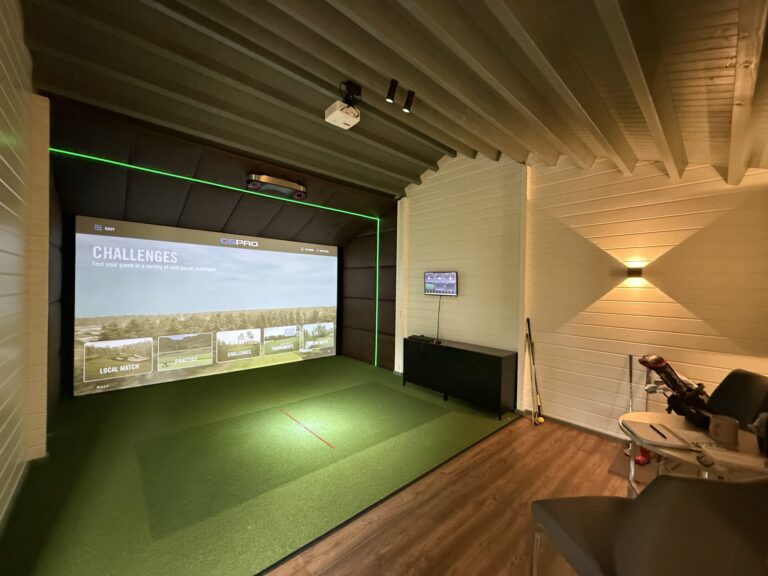
Golf Simulator for Home UK | Complete Home Setup Guide
A home golf simulator planning guide covering budget, room choice, launch monitor options, screens, projectors and setup decisions.
Read guide