
Your basket is empty
How to Choose a Golf Simulator Hitting Mat That Protects Your Joints
The best golf strike mat for a simulator is one that lets the club slide through impact rather than bouncing off a hard surface, because that is what protects your wrists, elbows and shoulders over hundreds of shots a week. Look for a mat with a forgiving hitting surface, a cushioned base, a size that […]

The best golf strike mat for a simulator is one that lets the club slide through impact rather than bouncing off a hard surface, because that is what protects your wrists, elbows and shoulders over hundreds of shots a week. Look for a mat with a forgiving hitting surface, a cushioned base, a size that suits left and right handed players if you need it, and a hitting area that can be replaced when it wears.
Cheap, thin mats are the false economy of a simulator room. They save a few hundred pounds at the start, then cost you in sore joints, inaccurate data and a replacement within a year or two. This guide explains what separates a good strike mat from a poor one, how to match it to your launch monitor, and which options suit different budgets.
Why the mat matters more than people think
On a real fairway, the club can take a divot. On a mat, it cannot, so the surface has to give way in a different manner. When it does not, the shock of the strike travels back up the shaft into your hands, wrists and elbows.
Our guidance is clear on this. Cheap mats can cause wrist, elbow and shoulder pain over time, and some well known hard mats are best avoided for regular simulator use. Golfer’s elbow is the best known example. NHS inform describes it as an overuse injury often caused by repeated gripping and movement of the hand, causing pain on the inside of the elbow that can spread down the forearm. A mat will not cause or cure that on its own, but a harsh surface adds to the load every single shot.
A poor mat also affects your game. A surface that grabs or bounces the club can disguise heavy shots, so a fat strike that would have dug into the turf outdoors still produces a decent looking result on screen. Over time, that teaches the wrong habits.
What makes a good strike mat
When comparing mats, look at these five things.
- The hitting surface. Dense nylon or 3D turf fibres let the club glide through the strike zone. Our STRIKECORE surface uses 25mm dense nylon, which accepts a standard rubber tee and is designed to give clean divot action rather than bounce or grab.
- The layers underneath. A layered build absorbs more of the impact. Our Black Range Strike Mat is 35mm thick in total, with 15mm of 3D synthetic turf on 10mm of textile fibre and 10mm of foam rubber.
- Size. A 1.5m x 1.5m mat gives enough room to stand on the mat for both left and right handed players. Narrower 1.5m x 1.2m mats suit single handed setups or smaller rooms.
- Tee options. Some mats take a real tee, others need a separate tee up insert. If you practise driver often, check before you buy.
- A replaceable hitting area. The strike zone wears far faster than the rest of the mat. Inserts let you change just that part.
Strike mat options at different budgets
These are examples from our strike mats range, using current listed prices.
| Mat | Size | Key feature | Price |
|---|---|---|---|
| SimSpace Standard Slim Hitting Mat | 1.5m x 1.2m | Slim entry level mat | £159.99 |
| SimSpace Transition Slim Hitting Mat | 1.5m x 1.2m | Slim mat for switching between sides | £179.99 |
| SimSpace Teaching Hitting Mat | 1.5m x 1.5m | Square layout for coaching | £239.99 |
| Tekden STRIKECORE Strike Surface | 1.0m x 1.2m to 1.0m x 2.7m | 25mm dense nylon, takes a rubber tee | £220 to £495 |
| Tekden Quad Tech Range Mat | 1.5m x 1.5m | Range style mat | £296 |
| Tekden Black Range Strike Mat | 1.5m x 1.5m | 35mm three layer build | £369.99 |
Beyond our own range, mats such as Fiberbuilt, TrueStrike and SIGPRO Softy are well regarded for joint friendly practice, and typically sit somewhere between £400 and £1,200 depending on size and model.
Inserts versus one piece mats
The hitting area takes almost every strike, so it is always the first part to wear. A one piece mat has to be replaced in full when that happens, even if the rest is in perfect condition.
In our experience, a mat with a replaceable hitting insert works better than a one piece mat in a well used simulator room because the worn strike area can be swapped on its own, which keeps the feel consistent and costs far less than a new mat. Our Tee-Up Plus Strike Mat Insert at 400mm x 600mm starts from £85, and SimSpace also offers a bunker insert for practising sand shots.
Matching the mat to your launch monitor
The mat and launch monitor need to work together. Two things are worth checking.
Height. Many floor based launch monitors need to sit level with the ball. Foresight’s GC3 manual tells users to raise the unit to the same level as the hitting surface when a mat is used, and Square Golf’s setup guide says the device should be placed on a flat surface at the same height as the ball. A thick mat raises the ball, so the launch monitor may need a stand or a matching platform.
Ball position. Camera based units read the ball from a set position, so the hitting spot needs to stay in the same place every time. A mat that is fixed down and does not creep across the floor keeps your data consistent.
Our STRIKECORE surface is listed as compatible with major systems including Garmin, Foresight, FlightScope, SkyTrak and camera based monitors.
Mats and bounce back
A hard mat does not only affect your joints. Screen maker Carl’s Place lists a hard, inexpensive mat as one of the causes of balls bouncing back from the impact screen, because it rejects the club and sends the ball off at an awkward angle. A softer, more forgiving surface helps keep the ball going where it should.
How the mat fits into the room
The strike mat usually sits within a wider area of putting turf, with an underlay beneath it. In our golf dens, the turf, strike mat and wall pads are installed as part of the simulator fit out, which we cover in our guide to how long it takes to build a golf simulator cabin. Setting the mat into the turf so its surface sits flush avoids a trip edge and keeps the room looking tidy.
From working with clients, we’ve found the mat is easy to overlook when most of the budget is going on the launch monitor and projector, yet it is the one part of the room that every single shot touches. It is worth getting right at the start.
Looking after your mat
A good mat lasts longer with a little care. Brush the surface occasionally to lift the fibres, vacuum away debris, and clean marks with a damp cloth and mild soap rather than harsh chemicals or a pressure washer. Rotate or replace the hitting insert when the strike zone starts to feel thin or flat.
Summary
A good golf strike mat lets the club glide through the strike rather than bouncing off a hard surface, which protects your joints and gives more honest data. Choose a forgiving, layered mat in a size that suits your players, check it works with your launch monitor’s height and ball position, and consider a replaceable insert so the most used area can be changed on its own.
If you would like help choosing a mat for your room, TEKDEN can recommend one to suit your launch monitor and the way you play, and you can see a finished simulator room at our Hampshire showroom. You can also choose your mat and turf when you configure a turnkey golf den. Contact us to talk to the team.
More Tekden Guides
Keep planning your simulator room.
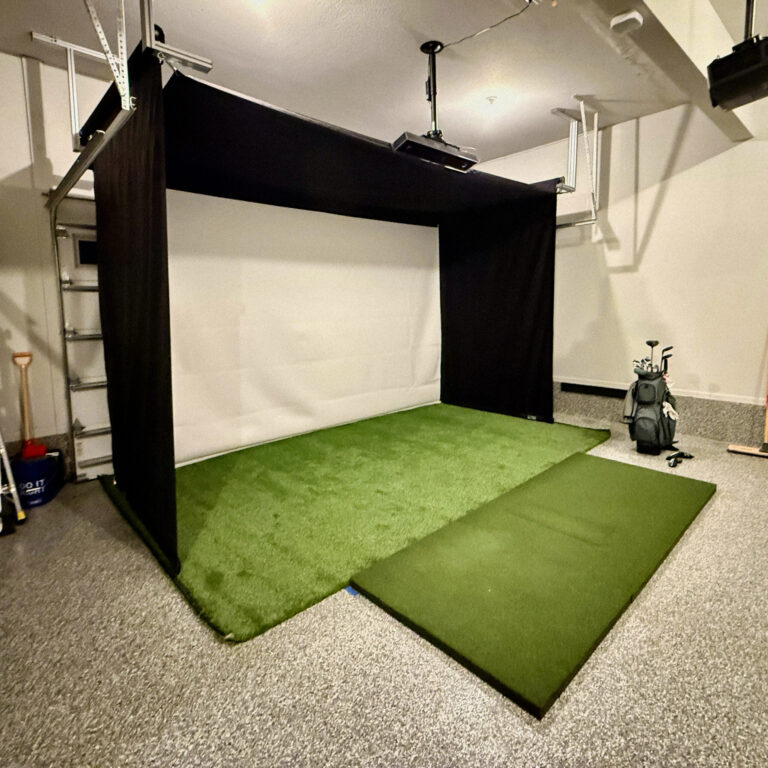
How to Set Up a Golf Simulator in Your Garage (Without Losing Your Garage)
Want a garage golf simulator but don't want to lose your parking space? This guide covers everything from space requirements…
Read guide
Do You Need Planning Permission for a Golf Simulator Cabin? (2026 UK Guide)
Do you need planning permission for a golf simulator cabin or garden room? This comprehensive UK guide covers permitted development…
Read guide
Golf Simulator Cost UK 2026: Complete Price Guide | Tekden
A UK price guide for golf simulators, from entry-level practice setups to premium cabins and fully installed simulator rooms.
Read guide
Best Golf Launch Monitors UK 2026: Complete Buying Guide | Tekden
A buying guide to the best golf launch monitors in the UK, comparing budget, mid-range and tour-level options for home…
Read guide
Gifts For Golfers
Gift ideas for golfers, from useful accessories and practice aids to simulator room upgrades and golf tech.
Read guide
Tech Comparison
Compare launch monitors, projectors, PCs and simulator components so you can choose the right technology for your room.
Read guide