Your basket is empty
FlightScope
Flightscope
FlightScope Mevo Gen2 Face Impact Location – Software Upgrade
- FlightScope Mevo Gen2 Face Impact Location software upgrade.
- Master the centre of the face with heat-mapped strike distribution, plus precise lateral and vertical impact data — no foot sprays, powder...
Price
£480.00 inc. VAT
UK delivery available- Delivery calculated at checkout
- Secure checkout
- Expert product support
- Easy returns support
Business finance available Spread the cost on suitable equipment and room packages.
Ask about financeFlightScope Mevo Gen2 Face Impact Location – Master the Centre of the Face
The FlightScope Mevo Gen2 Face Impact Location software upgrade adds heat-mapped strike data and precise lateral & vertical impact metrics to your Mevo Gen2 or Mevo+ — with no foot sprays, no impact tape and no stickers required. See exactly where every shot meets the club face, build a session-long heat map for every club, and stop guessing why your numbers are off. Available now at Tekden with fast UK email delivery.
Face Impact Location for Mevo Gen2 & Mevo+
Two new data parameters and a session-long heat map — the most direct way to stop hunting fixes and start hitting the centre of the face.
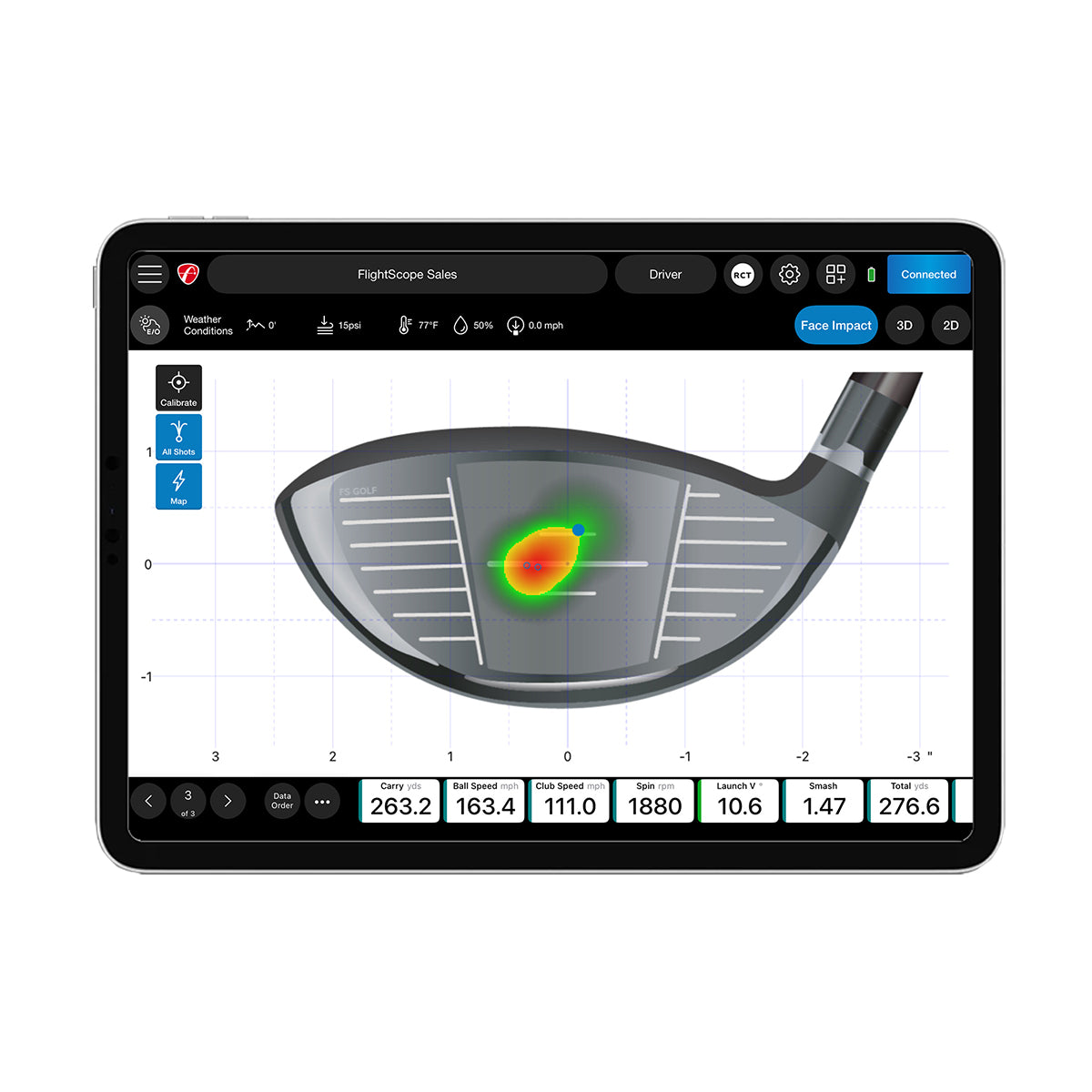 |
Heat Mapping VisualizationSee the visual distribution of every strike across the club face for an entire practice session. Build a heat map for any club — wedge to driver — and instantly spot whether you’re leaking toe-side, heel-side, or hitting the centre. ✓Per-club heat map for every session
✓Track centre-strike percentage over time
✓Available on FS Golf PC, iOS & Android (tablet)
✓Works with wedges, irons, woods and driver
|
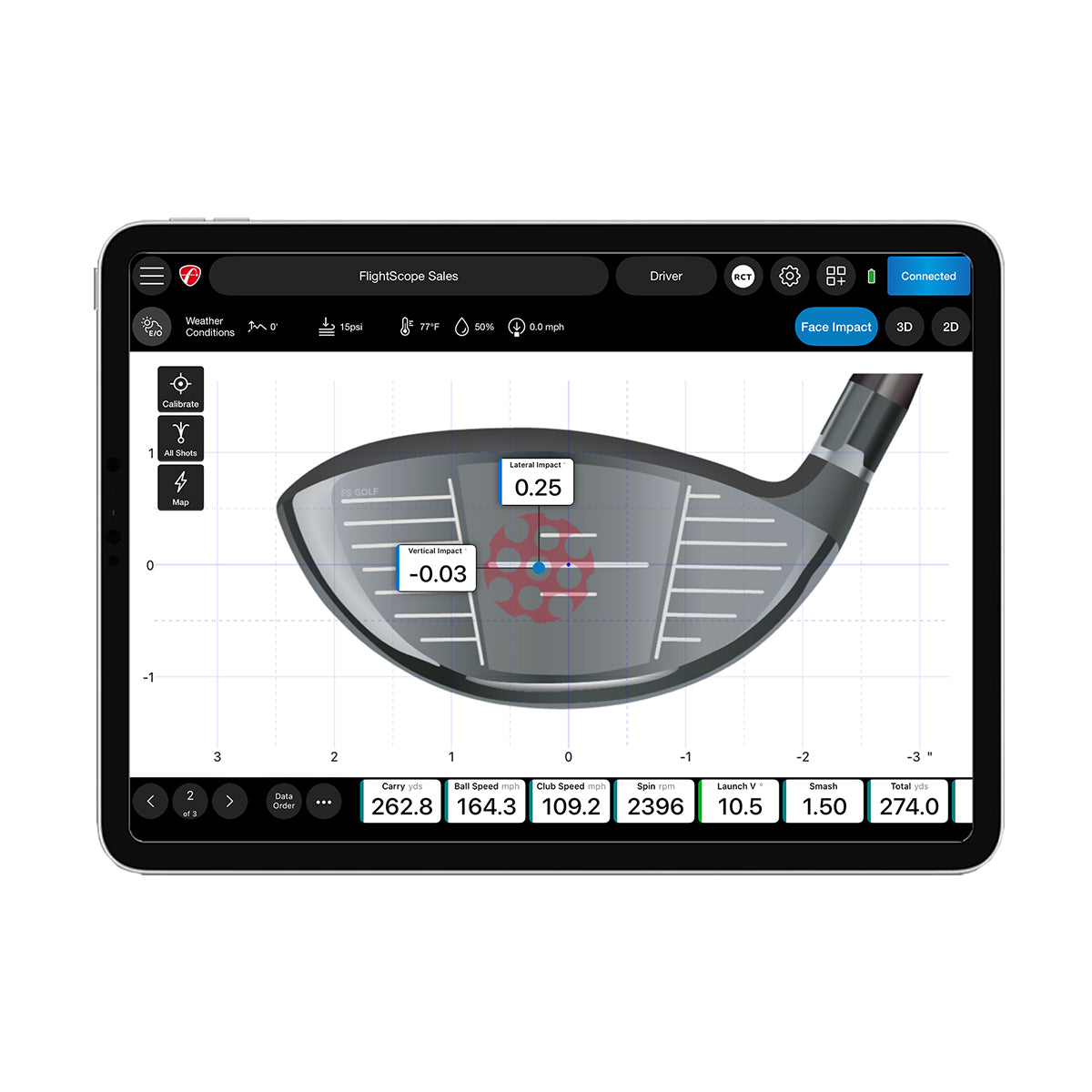
Lateral & Vertical Impact DataTwo new data parameters reveal exactly where the ball met the face on every shot — in millimetres, toe-to-heel and crown-to-sole. Pair it with your existing ball and club data to understand why your spin rate, loft delivered and shot shape look the way they do. ✓Lateral impact (toe / heel offset)
✓Vertical impact (high / low strike)
✓Per-shot face graphic in the FS Golf app
✓Add to the Trajectory screen or use full-screen
|
 |
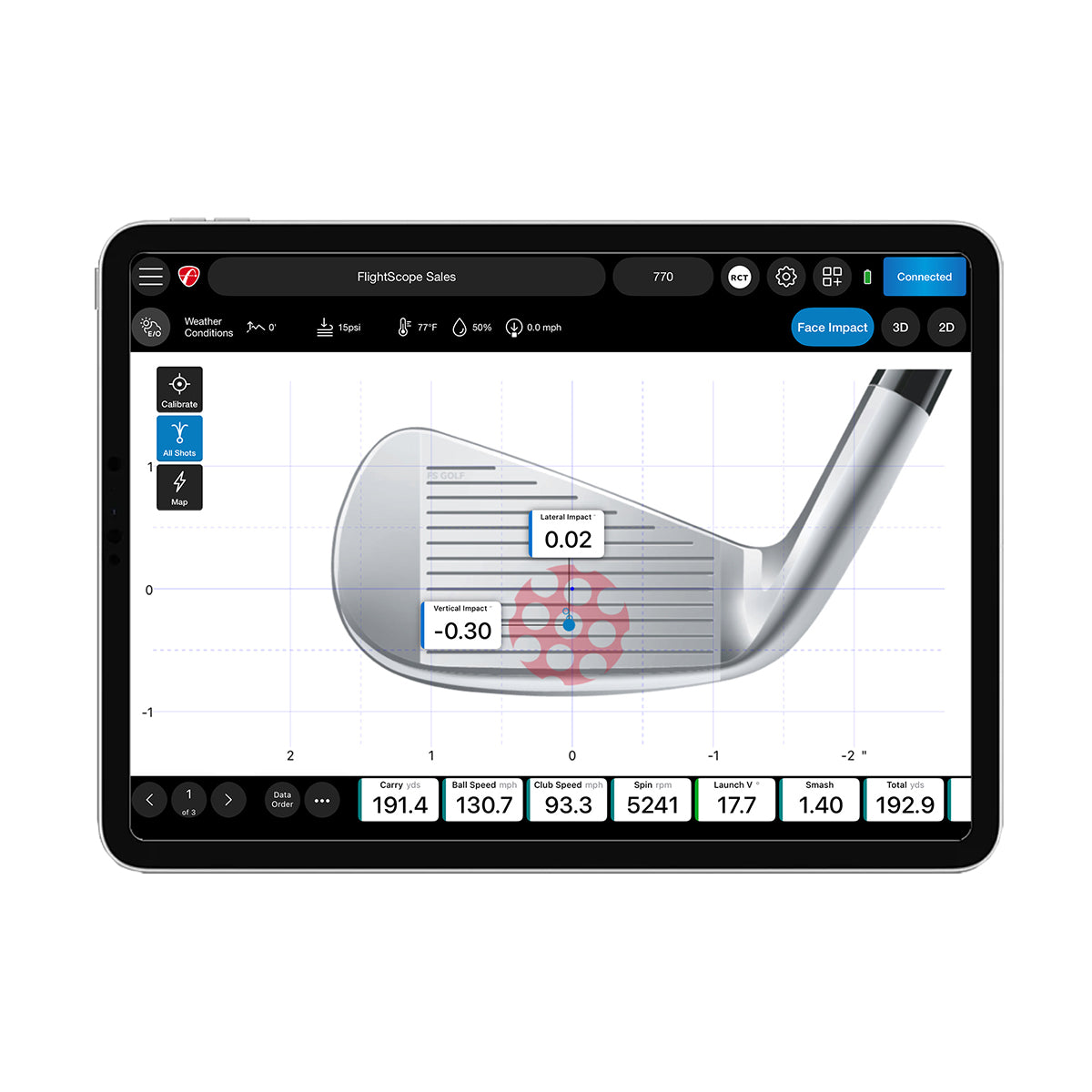 |
Shot Grouping by ClubDisplay every shot’s impact location for a given club in a single view. Whether you’re testing a swing change, fitting a new shaft, or just warming up before a round, you get an immediate read on consistency. ✓All shots overlaid per club
✓Spot drift mid-session and adjust
✓Compare grouping across clubs
✓Brilliant for club fitters and coaches
|
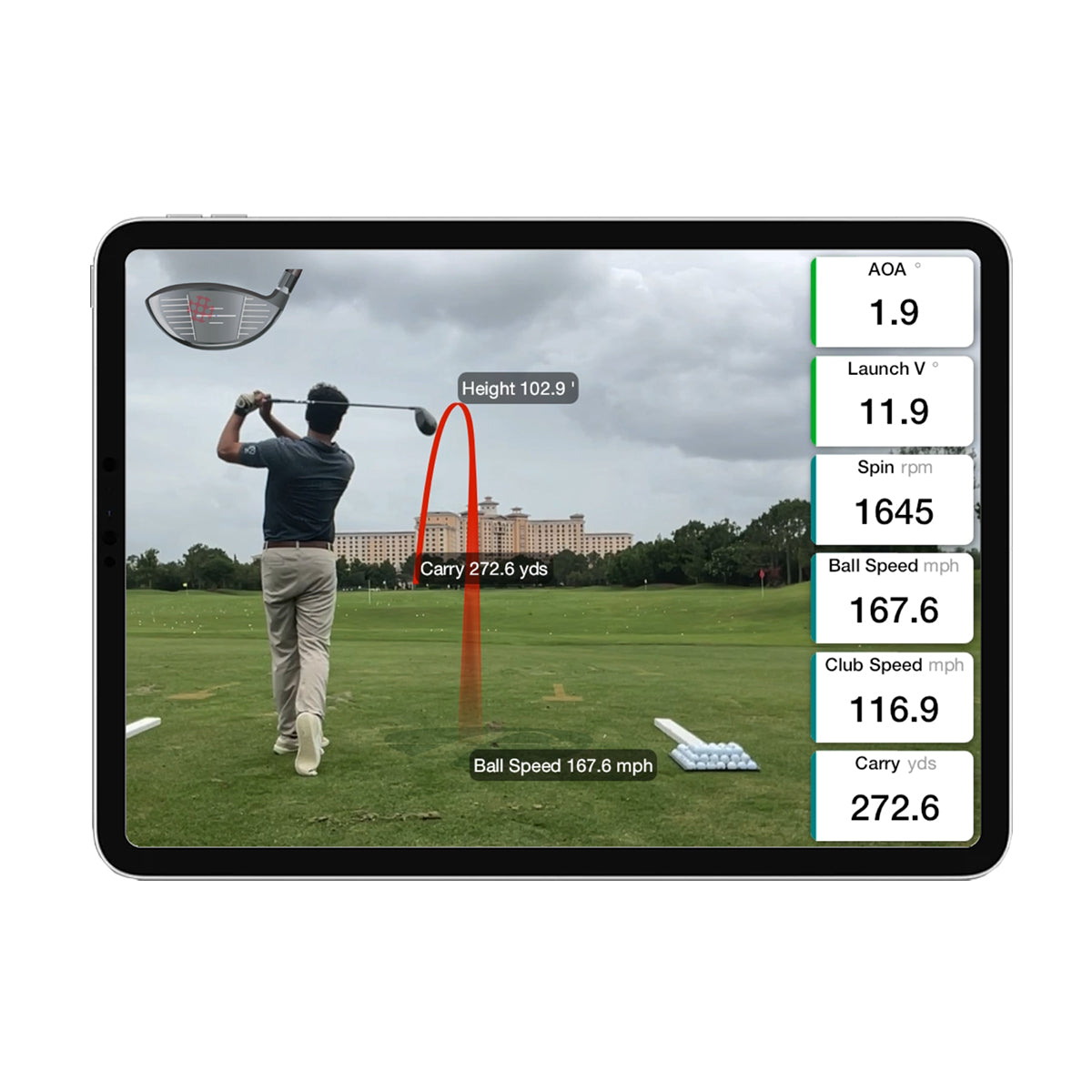
No Sprays, No Tape, No StickersForget foot spray, impact tape, powders and stickers. Face Impact Location uses FlightScope’s Advanced Fusion Tracking — a dedicated camera synchronised with the Doppler radar — to read impact location automatically on every shot. ✓Clean club face — no mess to wipe off
✓Reads every shot automatically
✓Indoor & outdoor capable (300 lux min indoors)
✓One-time licence, lifetime-linked to your unit
|
 |
Key Features
- Lateral and Vertical impact data on every shot
- Per-club Heat Mapping Visualization across full sessions
- Shot Grouping view to compare consistency
- Works with wedges, irons, woods and driver (putter excluded)
- No foot spray, no impact tape, no stickers required
- Indoor & outdoor capable (300 lux minimum indoors)
- Pairs cleanly with the Pro Package (sold separately)
- One-time purchase — no subscription or annual fees
Why Buy From Tekden?
|
UK Golf Simulator Specialists Tekden isn’t a generic retailer. We focus exclusively on golf simulation technology, so people who actually use this kit select every product we list. |
Authorised FlightScope Reseller Buy direct from a UK-based authorised FlightScope reseller. Backed by FlightScope’s UK customer care team via live chat, email and phone. |
|
Expert Support Our team uses this software every day in our own simulators. Need help with the 300-lux lighting setup or pairing FIL with the Pro Package? Ask us — we know the kit. |
Fast Email Delivery Activation codes are sent within 1 working day — usually within hours of your order. Activate and play the same day. |
Data Parameters Added
| Lateral Impact | Distance from face centre, toe-to-heel, in millimetres |
| Vertical Impact | Distance from face centre, crown-to-sole, in millimetres |
| Heat Mapping | Visual strike distribution across the face per session, per club |
Compatibility & Requirements
| Compatible Hardware | FlightScope Mevo Gen2 or Mevo+ (sold separately) |
| Lighting Requirement | Minimum 300 lux in the hitting area (indoors); brighter is better |
| Heat Mapping Display | FS Golf PC, FS Golf iOS (iPad/iPhone), FS Golf Android (tablet) |
| Pro Package Required? | No — works standalone. Bundle separately for the Pro Package experience. |
| Licence Type | One-time purchase, lifetime-linked to your launch monitor |
What You Receive
- Activation code for FlightScope Face Impact Location (delivered by email)
- Lateral and Vertical impact data parameters unlocked in the FS Golf app
- Heat Mapping Visualization on PC, iOS and Android tablets
- Lifetime licence linked to your Mevo Gen2 or Mevo+
Frequently Asked Questions
Compatibility
Do I need the Pro Package to use Face Impact Location?
No. Face Impact Location works as a standalone upgrade. You can also buy the Pro Package + Face Impact Location Bundle to save vs purchasing them separately.
Will it work with my original Mevo?
No — Face Impact Location is only compatible with the Mevo Gen2 and Mevo+.
Is heat mapping available on phones?
Heat Mapping Visualization is available on FS Golf PC, FS Golf iOS (iPad and iPhone), and FS Golf Android (tablet only). It is not available on phone versions of FS Golf Android.
Setup & Lighting
Why do I need 300 lux of light?
The Mevo Gen2 / Mevo+ uses synchronised image processing alongside its radar to detect club-face impact. Below 300 lux, the camera can’t capture the impact reliably. Light your hitting area to comfortably exceed 300 lux measured within a 0.9m radius of the ball position.
What does Face Impact Location actually do?
It reveals the precise impact point on the club face for every shot, adds lateral and vertical impact data parameters, and produces a per-club heat map showing where on the face you strike most often during a session.
How quickly will I receive my activation code?
Within 1 working day — usually within hours of your order. The code is emailed for one-time activation in the FS Golf app.
Delivery & Returns
Delivery: Activation code emailed within 1 working day of purchase — usually within hours.
Returns: As a digital software upgrade, Face Impact Location is non-refundable once the activation code has been issued.
Browse more in our FlightScope range at Tekden.
-

-
-
 Golf Tech
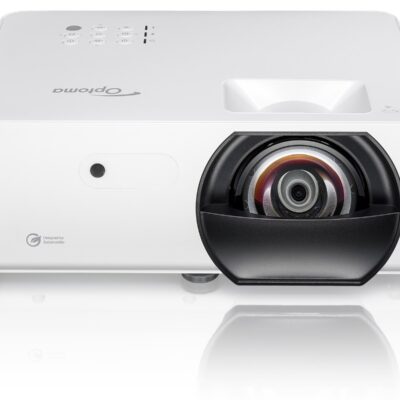
Optoma LH351ST Golf Simulator Projector - 3300 Lumens Full HD Short Throw LED | UK
In stockFrom £1,084.00 -